


MyHeritage: Family Tree & DNA
4.49.65K Reviews
App Specs
- Version
- 7.5.44
- Updated On
- License
- Free
- Downloads
- 10,000,000+
- Developer
- MyHeritage.com
- Categories
- Books & Reference
- Platform
- Android, iOS
Screenshots
 Analysis by AppCompare
I’d approach MyHeritage: Family Tree & DNA as a place to organize family clues, not as a magic answer machine. The most rewarding results come when I enter what I already know, keep track of where each detail came from, and treat suggestions as leads to check rather than facts to accept. That habit makes the app more useful whether I’m tracing a branch for the first time or trying to untangle a family story that has been repeated for years.
Start with what your family can confirm
My first step would be to add close relatives and the details I can verify, then work outward one person at a time. Names, dates, and places are easier to assess when they sit alongside known relationships. If a date is uncertain, I would leave it out until I could ask someone or find a record; a tidy tree built on guesses can look convincing while sending research in the wrong direction.
A practical routine is to ask one relative a few focused questions before opening the app: who their parents were, where the family lived, and whether they remember a name or event that others might not know. I’d add the answers while the conversation is fresh, then mark the unresolved parts in my own notes so I know what to revisit. This is especially helpful when several relatives share a first name or when family stories disagree.
Make research sessions easier to resume
Genealogy often happens in short bursts: a few minutes after dinner, a call with a grandparent, or a pause while sorting old photographs. I find it helpful to give each session one question, such as identifying a great-grandparent’s birthplace, instead of trying to complete an entire branch at once. A narrow goal makes it easier to notice what is missing and to pick up again without repeating work.
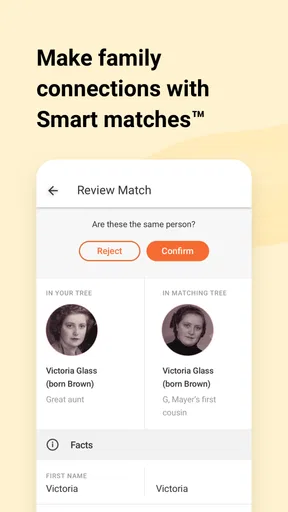
When a suggested match appears, I would compare the people and relationships already in my tree before adding anything. A shared name alone is not enough to establish a connection. The useful question is whether the proposed link fits the places, dates, and family relationships I can support. This cautious approach may feel slower, but it prevents a wrong connection from spreading through the tree and becoming harder to correct later.
Choose the right tool for the job
As a Books & Reference app from MyHeritage.com, this is aimed at people who want genealogy tools and family material together on a phone. It is free to download, rated for Everyone, and has a 4.5 average from around 251,000 ratings, with over 10 million installs. Those figures suggest a broadly used service, but they do not tell me whether its approach suits every family-history project.
If my main goal were simply to keep a private list of relatives, a basic notes app or a paper chart could be quicker and less involved. If I wanted to search archival records in depth, I would compare dedicated genealogy research services and desktop tools as well, especially for long sessions that involve checking many sources. MyHeritage is a better fit when I want a family tree on mobile, possible connections with other users, DNA-related tools, and ways to bring family photos into the project.
Worth Reading Before You Choose

Baby Panda World Brings Quick Play to Modern Phones, but Its Game Library Feels Busy

ESPN’s Live Game View Makes Following Close Games Easier

QuizzLand Review: A Good Fit for Short Trivia Breaks, Not Every Player

Basketball Stars: Multiplayer Is Fast, but Can It Recover When Matches Go Wrong?

WEBTOON Turns Phone Updates Into a Better Reading Routine

Link to Windows Runs on Shared Habits, Not Social Feeds
The trade-off is that a connected genealogy service can encourage me to add more than I have actually established. I would keep a clear distinction between family recollections, documentary evidence, and suggested links, even if I use a separate notebook for that distinction. That little discipline matters more than making the tree look complete.
Discover Your Roots
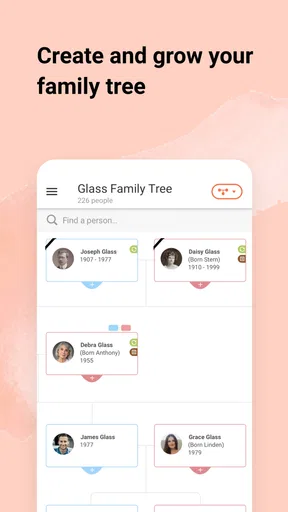
First off, let's talk about the family tree feature. This is where the magic begins. You start by entering the basic details of your family members, and from there, the app helps you construct an extensive family tree. The interface is super intuitive, allowing you to easily add relatives and fill in details like birth dates and places. The app even suggests potential matches from its vast database of users, which is like having a genealogist in your pocket.
What I love about this feature is the ability to visualize your family connections. It's like having a digital scrapbook, preserving your family's legacy for future generations. Plus, the app includes a nifty timeline feature, letting you see events in your family's history in chronological order. It's both informative and a bit of a tear-jerker, especially when you uncover stories you never knew about.
Unraveling DNA Mysteries
Now, onto the DNA testing part, which is arguably the most exciting aspect of MyHeritage: Family Tree & DNA. The app offers a DNA test that can be ordered directly through it. Once you receive your kit, it's a simple cheek swab, and off it goes to the lab.
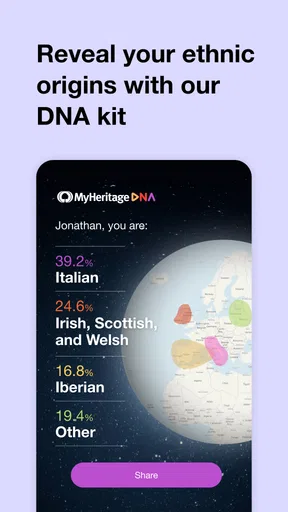
After a few weeks, you get your results, and this is where things get fascinating. The app provides detailed insights into your ethnic background, breaking it down into percentages from different regions. It's like looking at a genetic map of yourself. One of the most thrilling parts is discovering DNA matches. The app connects you with people who share your DNA, meaning you could uncover long-lost relatives or even distant cousins.
Understand what DNA can—and cannot—settle
I would treat an ethnicity estimate as a starting point for curiosity, not as a definitive account of identity or a precise family map. Regional estimates are interpretations of inherited DNA, and they work best as one clue alongside family records and conversations. A result may prompt a useful question—why does one branch have a connection to a place no one mentions?—but it cannot, by itself, explain the full story of a family.
DNA matches also need careful handling. A match can point toward a biological connection, but the relationship may not be obvious from the result alone, particularly when family trees are incomplete or relatives share common ancestors. Before contacting someone, I’d think about what I hope to learn and how much personal information I’m comfortable sharing. People use these tools with different expectations, and a surprising connection can raise sensitive questions as well as exciting ones.
That is why I would not order a test solely to settle a family disagreement or to confirm a particular story. A test can offer clues, but it is not a substitute for thoughtful research, and results may be emotionally complicated. For someone who is not comfortable with genetic discovery or potential contact with relatives, building a tree from family knowledge and records may be the better starting point.
Use photos as prompts, not proof
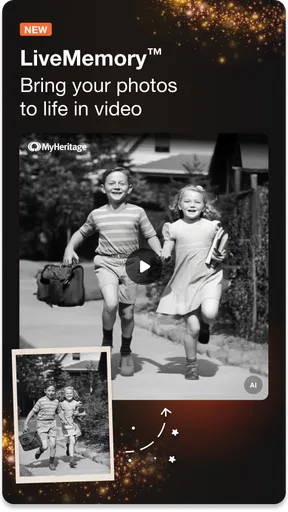
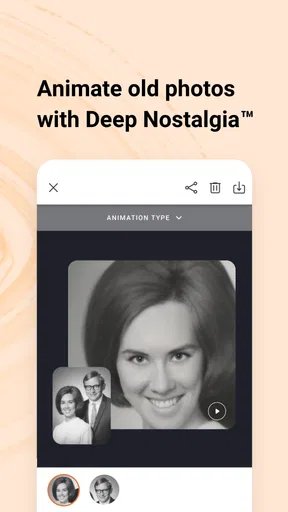
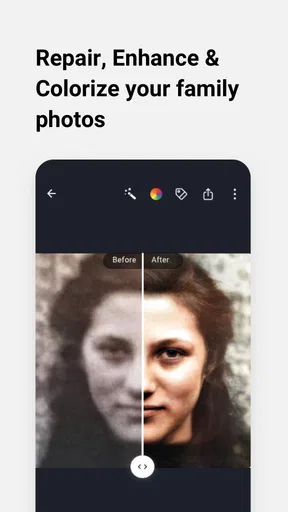
Beyond the core features, the app also offers some fun extras. For instance, there's a photo enhancement tool that can bring old family photos to life. You can colorize black and white images or even animate them. It's a brilliant way to breathe new life into your family history.
I see these photo tools as a way to invite conversation, not as evidence about the past. Color and animation can make an image feel vivid, but they do not establish who is pictured or when the photo was taken. I would keep an untouched copy of an original image and label enhanced versions clearly if I share them with relatives. That small step avoids confusing an appealing interpretation with the historical source.
A simple everyday use is to bring one old photograph to a family call and ask the people who recognize it to identify faces, places, or occasions. Then I can add the confirmed names and context to my research notes while keeping uncertain identifications separate. The app’s visual tools can make the discussion more engaging, while relatives’ memories supply the context the image itself cannot provide.
Keep collaboration comfortable and accurate
Another great feature is the ability to collaborate with family members. You can invite relatives to view and contribute to the family tree, making it a communal project. This collaborative aspect is fantastic for keeping family connections strong and ensuring that everyone is on the same page.
In practice, I would agree on a few ground rules before inviting several relatives: who will enter changes, how uncertain details will be handled, and whether sensitive information should be added at all. One person may remember a date differently from another, and a shared tree can turn that difference into a useful research question—or an avoidable argument. Asking contributors to explain the source of a detail keeps the project constructive.
For a family gathering, I’d use a short, specific task rather than asking everyone to “fill in the tree.” One relative might identify people in a photograph while another checks a place name with an older family member. That division makes participation easier for people who are not interested in genealogy software, and it produces more useful context than a rush to add names.
What to check before making it a habit
The app is free, but it also offers in-app purchases, with individual items ranging from under a dollar to several hundred dollars. I would decide what I actually need before buying anything, particularly if I am only testing whether genealogy suits me. Starting with a small family tree and a few conversations gives me a clearer sense of whether I want to explore additional paid options.
Before relying on it for a long-term project, I’d check that my phone runs Android 8.0 or later and that the installed app is current; version 7.5.5 is the current version. A phone is convenient for entering a name after a conversation or checking a relationship while visiting family, but it is not always the most comfortable place to compare a large number of records. I would use mobile for capturing clues and quick reviews, then move to a larger screen or written notes when the research becomes dense.
MyHeritage was released on December 14, 2011, and its staying power is useful context, but I would still make my own research habits dependable rather than assuming an app can preserve every conclusion for me. I keep copies of important family notes and photographs in an orderly place, and I avoid treating a single digital tree as the only record of what I have learned. That is a sensible safeguard for any family-history project, especially one that grows over time.
Who will enjoy it most
So, is MyHeritage: Family Tree & DNA worth your time and investment? In my opinion, absolutely. If you're someone who cherishes family history or has a keen interest in genetics, this app offers a comprehensive package. It's not just about learning where you come from; it's about connecting with your identity on a deeper level.
I’d recommend it most to curious beginners, relatives who want to build a shared record, and people who enjoy following a clue from a name or photograph to a broader family story. It can also suit someone who wants to explore DNA alongside genealogy, provided they are comfortable with the personal questions that genetic results may raise. The combination is more engaging than a bare list of names because it gives the research several ways to develop.
I would skip it, or at least postpone the DNA side, if I wanted only a simple offline family chart, disliked sharing or managing personal family details in an app, or expected instant certainty from matches and ethnicity estimates. A notebook, a local family-tree program, or a records-focused research service may be a better match depending on the task. The right choice depends on whether I value mobile access and connected features enough to accept the extra care that comes with them.
Build a repeatable research rhythm
Sure, there might be a learning curve if you're new to genealogy or DNA testing, but the app's user-friendly design and helpful support make it accessible to everyone. Plus, the discoveries you make are priceless, offering a sense of belonging and understanding that's hard to find elsewhere.
For steady progress, I would end each session by noting one unresolved question and the next practical action: ask a relative, check a place spelling, or compare a possible match with the known tree. That keeps the project from becoming an endless scroll through names. It also makes it easier to share progress with family, because I can explain not just what I added but why I believe it belongs.
My overall advice is to let the app support the research rather than dictate it. Use the tree to make relationships visible, treat suggested connections as hypotheses, and keep personal comfort in mind when exploring DNA or inviting relatives. With that approach, it becomes a useful companion for a long-running family project—not a shortcut around the careful thinking that makes genealogy worthwhile.
In conclusion, MyHeritage: Family Tree & DNA is more than just an app—it's a gateway to your past and a bridge to your future. Whether you're looking to build a family tree, explore your genetic roots, or simply have fun with old family photos, this app has something for everyone. So, go ahead, download it, and start your journey today. Who knows what fascinating stories and connections await you?
Pros
- User-friendly interface for easy navigation.
- Comprehensive family tree building tools.
- DNA results offer ethnic insights.
- Strong privacy and data protection policies.
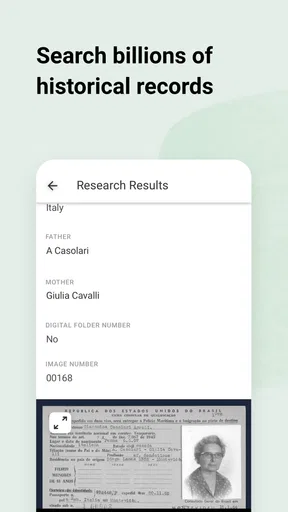
- Large database for historical records.
Cons
- Premium features require subscription.
- DNA test results take several weeks.
- Limited free access to records.
- App may occasionally lag or crash.
- Some features need internet connection.
FAQs for MyHeritage: Family Tree & DNA
What is MyHeritage: Family Tree & DNA and how can it help me?
MyHeritage: Family Tree & DNA is a comprehensive app designed to help users build and explore their family history. It offers tools for creating detailed family trees and provides access to a vast database of historical records. Additionally, it offers DNA testing services to uncover ethnic origins and connect with relatives worldwide, making it a valuable resource for genealogy enthusiasts.
Is the DNA testing service in MyHeritage accurate and secure?
Yes, MyHeritage provides a reliable DNA testing service that is both accurate and secure. The app uses advanced technology to analyze your DNA and provide detailed results about your ancestry. Moreover, MyHeritage places a strong emphasis on privacy, ensuring that your genetic information is protected and not shared without your consent.
Can I use MyHeritage without purchasing a subscription?
While MyHeritage offers some free features, such as basic family tree building and limited access to records, a subscription is necessary to unlock the full potential of the app. Subscriptions provide access to extensive historical records, advanced DNA features, and enhanced family tree capabilities, making it ideal for those serious about genealogy research.
How user-friendly is the MyHeritage app for beginners?
The MyHeritage app is designed with user-friendliness in mind, making it accessible for beginners. It features an intuitive interface with step-by-step guides to help users build their family trees and explore records. The app also offers helpful tutorials and support, ensuring that even those new to genealogy can navigate it with ease.
What kind of customer support does MyHeritage offer?
MyHeritage provides robust customer support to assist users with any issues. The app includes a comprehensive help center with FAQs, articles, and guides. Additionally, users can contact customer support via email or phone for personalized assistance. The community forums also offer a platform for users to share tips and experiences.


